01 / UNDERSTAND
Smart media search
Find moments through images, dialogue, text and sounds. Locate the shot inside the asset.
A video workspace without manual editing controls. Point to a moment, a range, a track or an asset. Say what you have in mind. AI handles the technical editing.
Download OriginCutSee the picture, select what you want to change, and share your ideas. You decide the content and pace. AI handles the editing, captions, and animation.
Find shots, write captions, edit, grade, animate and shape sound. AI understands your material and turns an idea into work you can keep refining.
Search images and sound, read dialogue and text, and ground every edit in your material.
Find moments through images, dialogue, text and sounds. Locate the shot inside the asset.
Multilingual transcription, word-level timing, automatic captions and highlights, with their styling.
Read text and its position in source media and finished frames to support search and visual checks.
From basic arrangements to motion graphics, let AI carry out the detailed work.
Trim, split, arrange tracks and picture-in-picture. Change speed, reverse or hold a frame.
Separate a chosen subject, propagate its mask and build compositions with foreground and background layers.
Read body keypoints and point or plane tracks so graphics follow movement in the shot.
Transitions, blending, blur and stabilization. Adjust exposure, curves, color wheels and LUTs.
Build animated type, charts, particles and three-dimensional scenes, arranged alongside your video.
Mix dialogue and music, analyze beats, and make clicks, impacts and transition sounds.
Every change has a precise place. Every good effect can be used again.
Reference moments, ranges, tracks or animation objects. Make local changes with undo and redo.
Check overlapping text, boundaries, occlusion and caption timing. Review picture and sound edits.
Search, preview and reference effect recipes. Adapt them to your content and reuse existing components.
Multiple aspect ratios and exports up to 4K. Cancel, retry and revisit export jobs.
Select the person in this shot and tell AI what you want to see.“Bring big type out from behind the person. Put the key line in front. Add a little flowing motion.”From a sentence to the picture in front of you. Let AI turn this material into what you had in mind.Take a look. Keep what you like. Tell AI what you would change next.
Still presenter · motion treatment example
Describe the text animation, graphics, or 3D scene you want. Refine its style, timing, and position, then export it with your video.
Connect Codex, Claude Code, OpenCode or WorkBuddy
Combine moments, ranges, clips, tracks, assets, animation nodes and more.
You think. AI operates.
Projects and original media stay local. Your chosen service runs the Agent.
Apple Silicon · macOS 13 or later
Download for macOSBefore you start
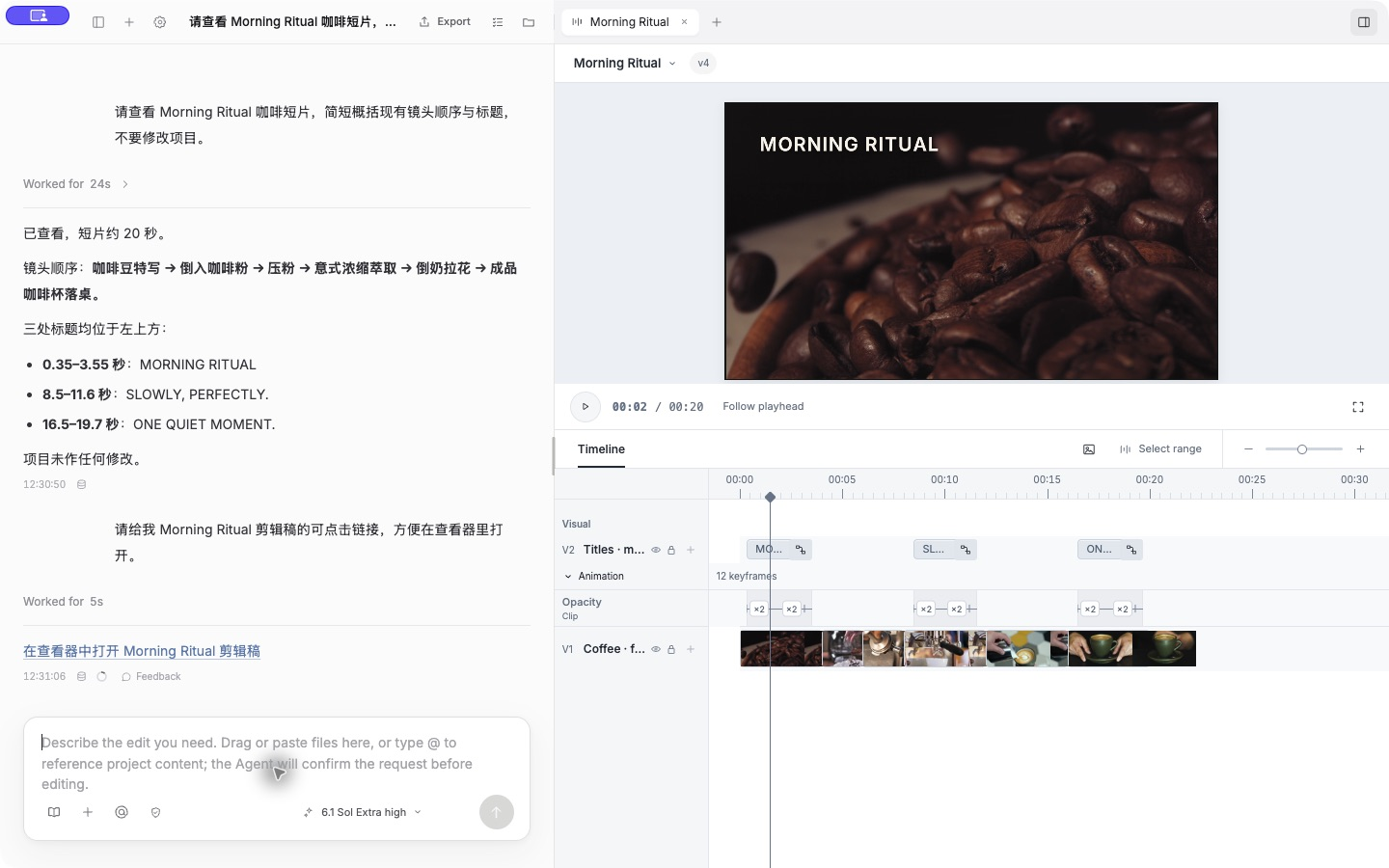
OriginCut is a conversational AI video editor for macOS and Windows. Describe your edit in natural language and let an Agent work with footage, cuts, captions and animation. The result stays on an editable timeline.
OriginCut is free to download and use. Connect your existing Agent account without buying an additional AI subscription from OriginCut. Agent subscription fees, usage limits and API charges are determined by the respective provider.
OriginCut supports Codex, Claude Code, OpenCode and WorkBuddy. Once connected, the Agent on your device can read project context and call editing tools. You can review progress and tool activity in the conversation.
Yes. An Agent can build animated text, charts and 3D scenes with code. Animations become independent timeline components alongside video and captions. Refine them through conversation and export them with your finished video.
Yes. Ask the Agent to adjust a caption, a shot or an animation component. Changes are saved in project versions, with undo, redo and the ability to return to earlier versions.
Install OriginCut, sign in to an Agent on your computer and choose your media project. On first launch, the app guides you through downloading the required media-understanding models.
Current downloads support Apple Silicon Macs running macOS 13 or later, and Windows 10 / 11 on x64.
No. Edits live in your project and timeline; original media stays untouched. You can undo, redo or return to an earlier version.